Total: $0.00
Taxes and shipping calculated at checkout


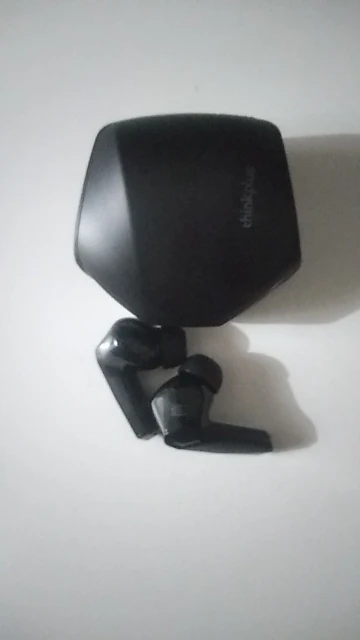
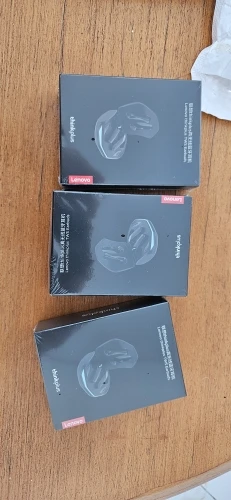
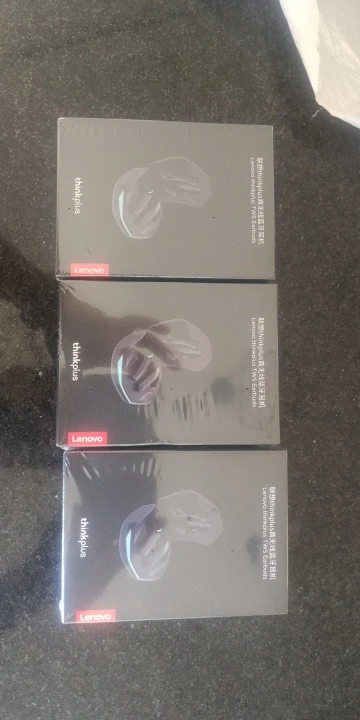
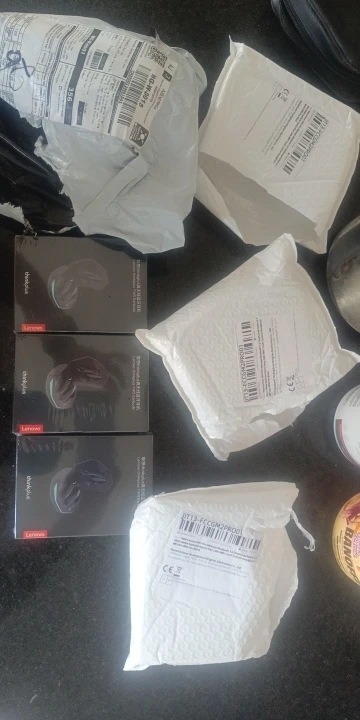
Elevate your gaming and listening experience with the Lenovo Thinkplus GM2 Pro. Built with the latest Bluetooth 5.3 technology, these earbuds are designed for those who demand high-speed performance and cinematic sound.1 Whether you're climbing the ranks in competitive mobile games or losing yourself in your favorite playlist, the GM2 Pro delivers crisp, lag-free audio in a comfortable, ergonomic design.
Upgraded Bluetooth 5.3: Experience the cutting edge of wireless connectivity. Bluetooth 5.3 provides a more stable connection, lower power consumption, and faster data transmission compared to previous generations.2
Dual-Mode Functionality: Easily switch between Game Mode for ultra-low latency (sound-to-screen synchronization) and Music Mode for rich, high-fidelity acoustics and deep bass.3
ENC Noise Reduction: Equipped with Environmental Noise Cancellation (ENC), the high-definition microphone filters out background noise, ensuring your voice is crystal clear during intense squad chats or important work calls.4
10mm Large Dynamic Driver: Experience 360° surround sound. The upgraded drivers provide an immersive soundstage, allowing you to hear subtle in-game cues like footsteps and distant gunfire.5
Long-Lasting Battery: Enjoy up to 5–6 hours of continuous playtime on a single charge, with the sleek charging case providing an additional 24+ hours of backup power.6
IPX5 Waterproof & Sweatproof: Built to withstand the intensity of the gym and the unpredictability of the outdoors.7 The GM2 Pro is resistant to sweat and light rain.8
| Feature | Specification |
| Brand / Model | Lenovo Thinkplus GM2 Pro |
| Bluetooth Version | V5.3 (Latest Chip) |
| Speaker Size | 10mm Dynamic Driver |
| Latency | ~40ms - 60ms (Game Mode) |
| Charging Time | Approx. 1.5 Hours |
| Transmission Distance | Up to 10 Meters |
| Earbud Battery | 40mAh (per bud) |
| Compatibility | Android, iOS, Windows, Tablets |
1x Pair Lenovo GM2 Pro Wireless Earbuds
1x Magnetic Charging Case
1x USB-C Fast Charging Cable
3x Pairs Silicone Ear Tips (S, M, L)9
1x Lenovo Original User Manual
Pro Choice: The Lenovo GM2 Pro is widely considered the "Value King" in the gaming community. It offers the build quality of a premium brand at a fraction of the cost.
The Lenovo Thinkplus GM2 Pro is known for its "Automatic Pairing" and highly responsive touch sensors. To ensure your customers don't get frustrated with the dual-mode switching, here is a clear and professional usage guide.
User Guide: Lenovo Thinkplus GM2 Pro
1. Fast Pairing & Connection
First Use: Remove the protective plastic film from the charging pins of the earbuds (if present) and place them back in the case to activate them.
Power On: Open the lid and remove the earbuds. They will flash lights and enter pairing mode automatically.
Bluetooth Search: Open your phone's Bluetooth settings and select "Lenovo Thinkplus GM2 Pro".
Auto-Connect: Once the first pairing is successful, the earbuds will connect to your phone instantly whenever you open the case lid.
2. Mastering the Touch Controls
The touch-sensitive zone is located on the flat upper part of the earbud stem.
Play/Pause: Double-tap the Right or Left earbud.
Next Track: Triple-tap the Right earbud.
Previous Track: Triple-tap the Left earbud.
Volume Up: Single-tap the Right earbud.
Volume Down: Single-tap the Left earbud.
Voice Assistant (Siri/Google): Long press the Left earbud for 2 seconds.
3. Activating Game Mode (Ultra-Low Latency)
This is the most important feature for gamers.
Switch Mode: Long press the Right earbud for 2 seconds.
The Prompt: You will hear a voice prompt saying "Game Mode" (for low latency) or "Music Mode" (for high-fidelity audio).
Note: Game mode provides the fastest response time for PUBG/Free Fire, while Music mode preserves battery life and enhances audio depth.
4. Calling & Noise Reduction
Answer/Hang Up: Double-tap either earbud during a call.
Reject Call: Long press either earbud for 2 seconds.
ENC Benefit: The Environmental Noise Cancellation is automatic; it works whenever the microphone is active to filter out background wind and noise.
Battery & Charging Indicators
Charging the Case: Use a 5V/1A charger with the included Type-C cable. The indicator light will flash during charging and stay solid once it reaches 100%.
Earbud Low Battery: You will hear a "Battery Low" voice prompt. Place them in the case for 15 minutes to get approximately 1 hour of playtime.
Quick Troubleshooting
Earbuds out of sync? > 1. Delete the "Lenovo Thinkplus GM2 Pro" from your Bluetooth list. 2. Put both buds back in the case. 3. Take them out at the exact same time and wait 5 seconds. 4. Re-pair with your phone.