Total: $0.00
Taxes and shipping calculated at checkout


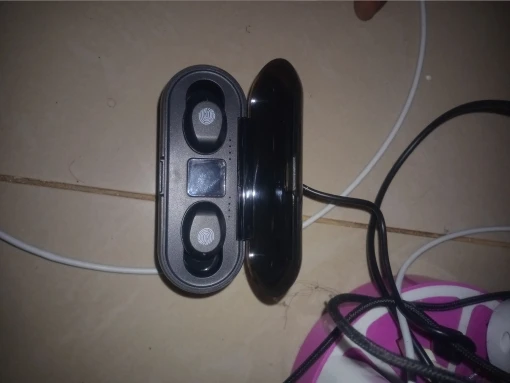
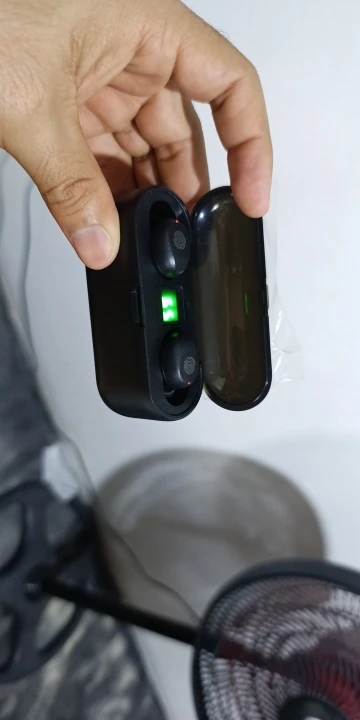
The F9 TWS True Wireless Earbuds are the ultimate multi-functional audio solution for the modern lifestyle. Featuring the latest Bluetooth 5.3 connectivity and a massive 2000mAh charging case, these earbuds provide an immersive 9D stereo experience while serving as an emergency power source for your smartphone.2 Whether you're traveling, at the gym, or commuting, the F9 ensures you stay connected and powered up.3
2000mAh Emergency Power Bank: The high-capacity charging case does more than just store your earbuds. Use the built-in USB-A port to give your phone an emergency charge when you’re away from a wall outlet.4
9D Stereo Bass Sound: Equipped with graphene diaphragms and 10mm dynamic drivers, the F9 delivers deep, rich bass and crystal-clear highs for a concert-like audio experience.5
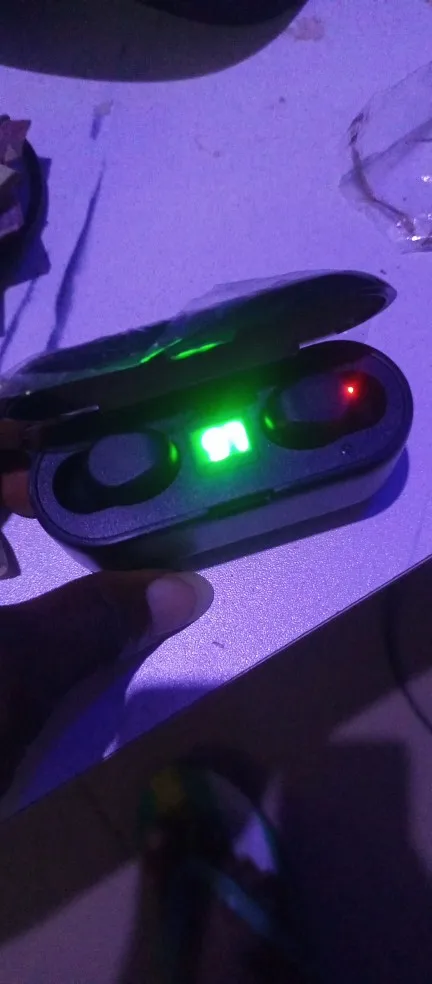
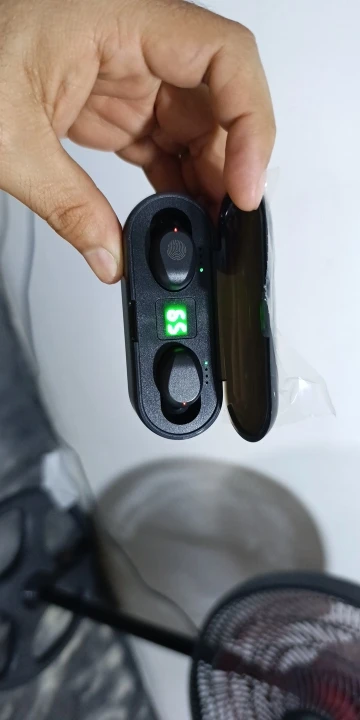
Intelligent LED Digital Display: The mirror-surface case features a bright LED readout showing the exact battery percentage of the case, plus individual power bars for the left and right earbuds.6
Upgraded Bluetooth 5.3: Enjoy faster pairing, a more stable connection, and significantly lower power consumption. The F9-5c chip ensures your videos and games stay perfectly synced with your audio.
IPX7 Professional Waterproofing: Designed for the active user, these earbuds are fully protected against sweat, rain, and even accidental immersion, making them the perfect partner for intense workouts.7
CVC 8.0 Intelligent Noise Reduction: Advanced software filters out background noise during calls, ensuring your voice sounds clear even in busy environments like malls or public transport.8
| Feature | Specification |
| Model | F9 TWS (2026 Edition) |
| Bluetooth Version | V5.3 + EDR |
| Case Battery Capacity | 2000mAh (Lithium-Polymer) |
| Earbud Battery Life | 4–6 Hours per charge |
| Total Playtime | Up to 150 Hours (with case refills) |
| Noise Reduction | CVC 8.0 Passive Noise Cancellation |
| Charging Port | Micro-USB / USB-A Output |
| Waterproof Rating | IPX7 |
1x Pair F9 True Wireless Earbuds
1x 2000mAh Multi-function Charging Case9
1x USB Charging Cable10
3x Pairs Comfort-fit Silicone Ear Tips (S, M, L)11
1x Professional User Manual12
User Tip: The F9 case also features a clever groove design that allows it to double as a Mobile Phone Stand, perfect for watching movies or taking video calls hands-free.
User Guide: F9 True Wireless Earbuds & Power Bank
1. Pairing for the First Time
Activate: Remove the small plastic films from the earbud charging pins (if present) and place them back in the case to fully charge before first use.
Auto-Sync: Take both earbuds out at the same time. The LED lights will flash Red and Blue. Wait 3–5 seconds until only one earbud flashes; this means they have synced to each other.
Bluetooth Connect: Open Bluetooth on your phone and select "F9" or "TWS 5.3". You will hear a voice prompt: "Connected."
2. Using the 2000mAh Power Bank
The F9 case is unique because it can charge your phone in an emergency.
To Charge Your Phone: Plug your phone’s standard USB charging cable into the large USB-A port on the side of the F9 case. Connect the other end to your phone.
To Charge the Case: Use the provided cable and plug it into the smaller Micro-USB/Type-C port (depending on your specific model version).
LED Display: The middle number shows the Case Battery %. The four bars on the left and right show the Earbud Charging Status.
3. Smart Touch Controls
Play/Pause: Single tap (either earbud).
Next Track: Double-tap the Right earbud.
Previous Track: Double-tap the Left earbud.
Volume Up: Triple-tap the Right earbud.
Volume Down: Triple-tap the Left earbud.
Activate Siri/Google: Long press either earbud for 1.5 seconds.
Power On/Off: Long press for 5 seconds.
Troubleshooting & Maintenance
Issue Solution Only One Side Works "Forget" the device in Bluetooth settings. Put both earbuds in the case, wait 10 seconds, and take them out at the same time. Let them sync for 5 seconds before re-pairing. Case Not Charging Ensure you are using a standard 5V/1A charger. High-speed "Fast Chargers" (like MacBook or Tablet bricks) can sometimes trigger the safety shut-off. Earbuds Not Charging Clean the small gold contact points on the earbuds and inside the case with a dry cotton swab. Dust or earwax can prevent a solid connection.
Pro Tip: Use as a Phone Stand
The charging case for the F9 is designed with a specific groove in the lid. You can rest your phone horizontally in this groove to use the case as a portable phone stand—perfect for watching movies while you listen!